
I am pretty sure that you have been confronted at least once with this question: are you using 32-bit Windows or 64-bit Windows?
Indeed, this question is often asked when you download a software that has two optimized versions: either for 32-bit Windows or for 64-bit Windows
How to know your Windows version? Windows 32-bit or 64-bit?
Rather than leaving it to chance (I’ve known people who do this…), there is a simple way to determine whether your Windows operating system is 32-bit or 64-bit: just look in Windows and more precisely in the System (Windows 11) or System Information (Windows 10)! This can be useful for example if you want to upgrade from Windows 7 to Windows 10 for free.
Identify the version of Windows 10 or 11 (32 bits or 64 bits?)
1. Click on the Start Menu, then click Settings.
2. In the Windows 11 settings, click on System.
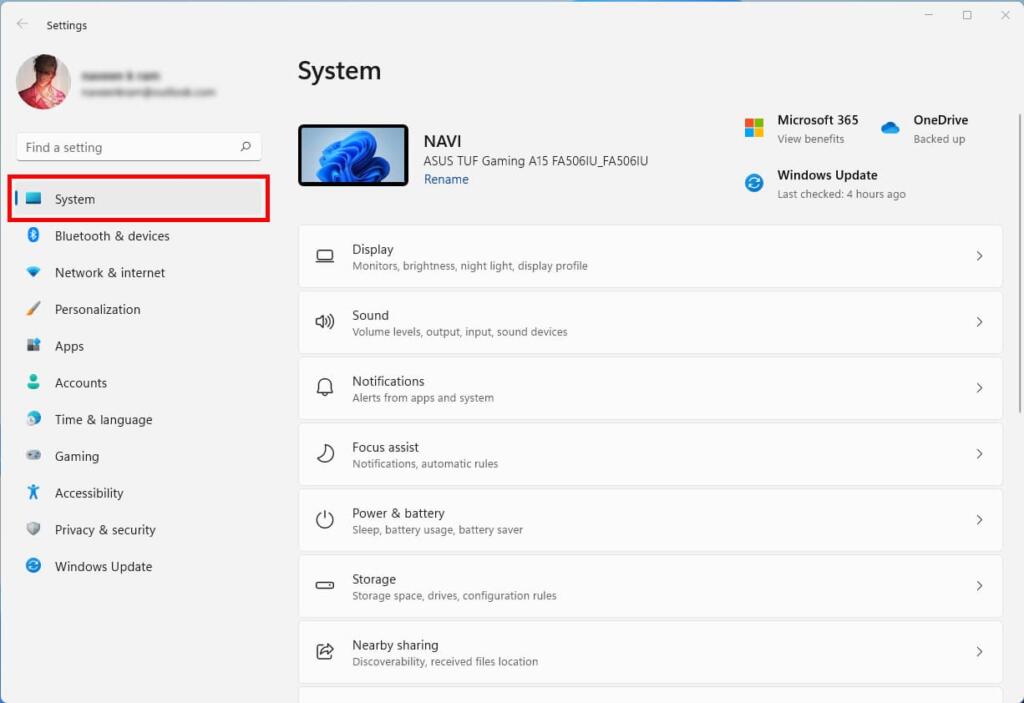
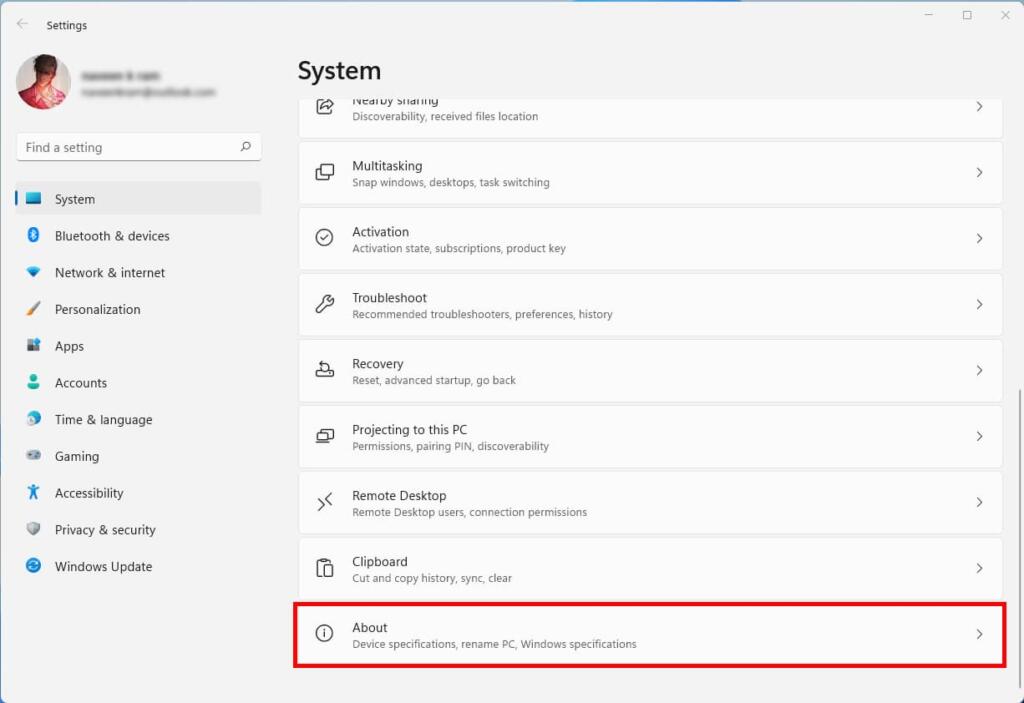
3. Then click in the left menu on System / System Information (Windows 10), what we are looking for is under System is About.
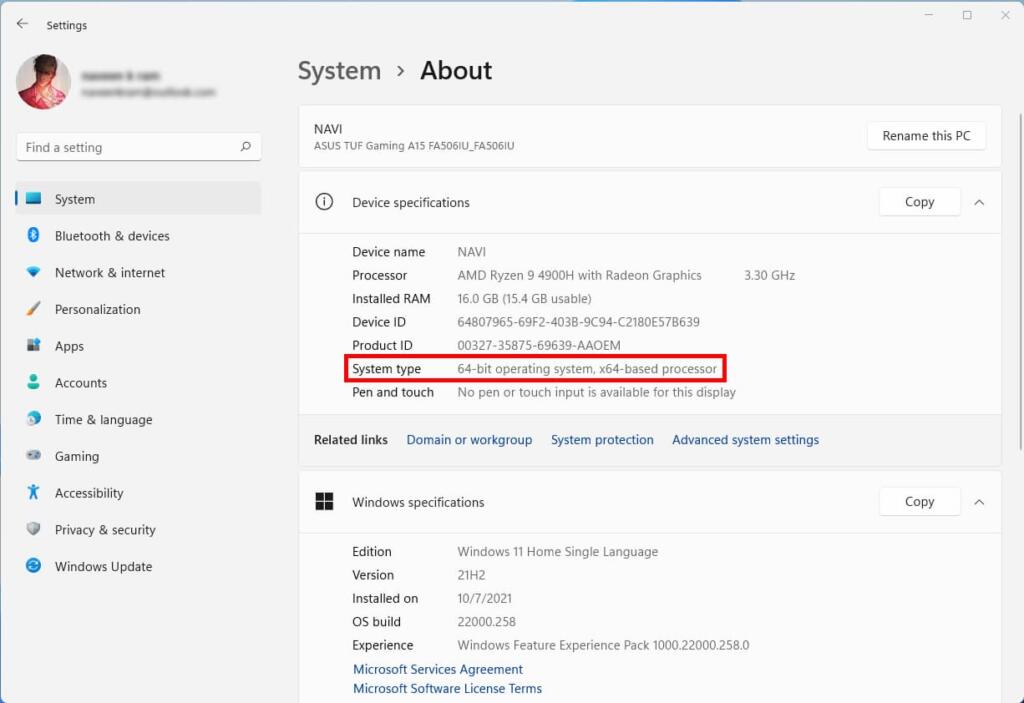
In the case of this screenshot, we are in the presence of a Windows 11 64-bit (otherwise, it would have been indicated Operating System 32-bit in Windows 10 or 8 if 32-bit was installed) with a processor also in 64-bit (Windows 11 is only available for 64-bit processor systems).
Alternative method to know the version of Windows (Windows 8, Windows 8.1, Windows 10, Windows 11)
Right-click on the Start Menu of your Windows and then click on System in the contextual menu, you will arrive directly in the System Information, you just have to look for the System Type section.
Identify the version of your Windows 7 (32 bits or 64 bits?)
The method is essentially the same for Windows 7: click on the Windows 7 Start menu, right-click on Computer and then click on Properties.
The information can be found in the System section (source).
What are the differences between 32-bit and 64-bit Windows?
The terms 32-bit and 64-bit refer to the ability of the processor (one of the most important elements of a computer, tablet or smartphone) to process information (make calculations) and manage the random access memory (RAM).
Schematically, 64-bit processors are more powerful since they are able to process more calculations and they can also manage larger RAM capacities (which allows for higher performance of your computer). 32-bit processors cannot handle more than 4 GB of RAM.
Can my computer support a 64-bit version of Windows?
To support a 64-bit version of Windows, you will need a 64-bit processor that can take advantage of the capabilities of 64-bit Windows.
It is possible to use a 32-bit Windows with a 64-bit processor, but the reverse is not possible.
For more detailed explanations on 32-bit / 64-bit systems and processors:
- https://en.wikipedia.org/wiki/64-bit_computing
I don’t know the version of Windows I’m using, how can I do it?
If you are really new to computers, you may not even know which version of Windows you are using. So how to know your Windows version? Don’t panic, I have prepared a tutorial to identify the version of Windows installed on a computer.
